
When it comes to grabbing media from Usenet, the Servarr apps are second to none.
I’ve been using Sonarr and Radarr for quite some time to grab TV programs, and Movies. More recently, I added Readarr to the list to grab books. Then I came across Prowlarr. At first, I was unsure about what its role was in the collection.
Prowlarr manages the other servarr apps Indexers. If I add an indexer to prowlar, it will automatically add that indexer to the other Servarr apps, Sonarr, Radarr and Readarr. I only have to add them into a single place, and they get added to all. At first, it seemed of little real benefit, as adding indexers isn’t really that tedious on each of the apps, but then you’ll notice that you can also then use Prowlarr as your central search tool. You can search all indexers for anything, not just TV, Movies and Books.
The other thing Prowlarr does is acts as a search proxy for all your calls to your indexer. When I set up LunaSea I was able to use the Prowlarr URL with the ID of the indexer, and the API code from Prowlarr’s general settings, eg.
This means if I want others to be able to use my indexers, I don’t need to give them any credentials for the external services, just those for Prowlarr.
I run all of my servarr apps on a silent mini pc in a Docker container set.
version: "3.7"
services:
  sonarr:
    image: lscr.io/linuxserver/sonarr:latest
    environment:
      - PUID=1000
      - PGID=1000
      - TZ=Europe/London
    volumes:
      - "${PWD}/sonarr/config:/config:rw"
      - "/mnt/data/Downloads/complete:/Downloads/complete:rwz"
      - "/mnt/Video/TV:/tv:rw"
    ports:
      - 0.0.0.0:8989:8989
    restart: unless-stopped
    networks:
      - media

  radarr:
    image: lscr.io/linuxserver/radarr:latest
    environment:
      - PUID=1000
      - PGID=1000
      - TZ=Europe/London
    volumes:
      - "${PWD}/radarr/config:/config:rw"
      - "/mnt/data/Downloads/complete:/Downloads/complete:rwz"
      - "/mnt/Video/Movie:/movies:rwz"
    ports:
      - 0.0.0.0:7878:7878
    restart: unless-stopped
    networks:
      - media

  readarr:
    image: lscr.io/linuxserver/readarr:develop
    environment:
      - PUID=1000
      - PGID=1000
      - TZ=Europe/London
    volumes:
      - "${PWD}/readarr/config:/config:rw"
      - "/mnt/data/Downloads/complete:/Downloads/complete:rwz"
      - "/mnt/History/ebooks:/books:rwz"
    ports:
      - 0.0.0.0:8787:8787
    restart: unless-stopped
    networks:
      - media

  sabnzbd:
    image: lscr.io/linuxserver/sabnzbd:latest
    environment:
      - PUID=1000
      - PGID=1000
      - TZ=Europe/London
    volumes:
      - "${PWD}/sabnzb/data:/config:rw"
      - "/mnt/data/Downloads:/Downloads:rwz"
    ports:
      - 0.0.0.0:8080:8080
    restart: unless-stopped
    networks:
      - media

  prowlarr:
    image: lscr.io/linuxserver/prowlarr:latest
    environment:
      - PUID=1000
      - PGID=1000
      - TZ=Etc/UTC
    volumes:
      - "${PWD}/data:/config:rw"
    ports:
      - 0.0.0.0:9696:9696
    restart: unless-stopped
    networks:
      - media

networks:
  media:
    name: media
    external: true
Bundled in there is SabNZBD to do the downloading for me. It downloads to an NFS share that is on my Synology NAS box, and then they can be played using OSMC and Kodi from my Vero 4k (soon to be Vero V).
Altogether it’s a very tidy setup. To add more features to this setup, I found Homarr, it’s a dashboard that integrates with the Servarr apps and presents me with a single simple view to launch, and monitor the apps from a convenient home page.
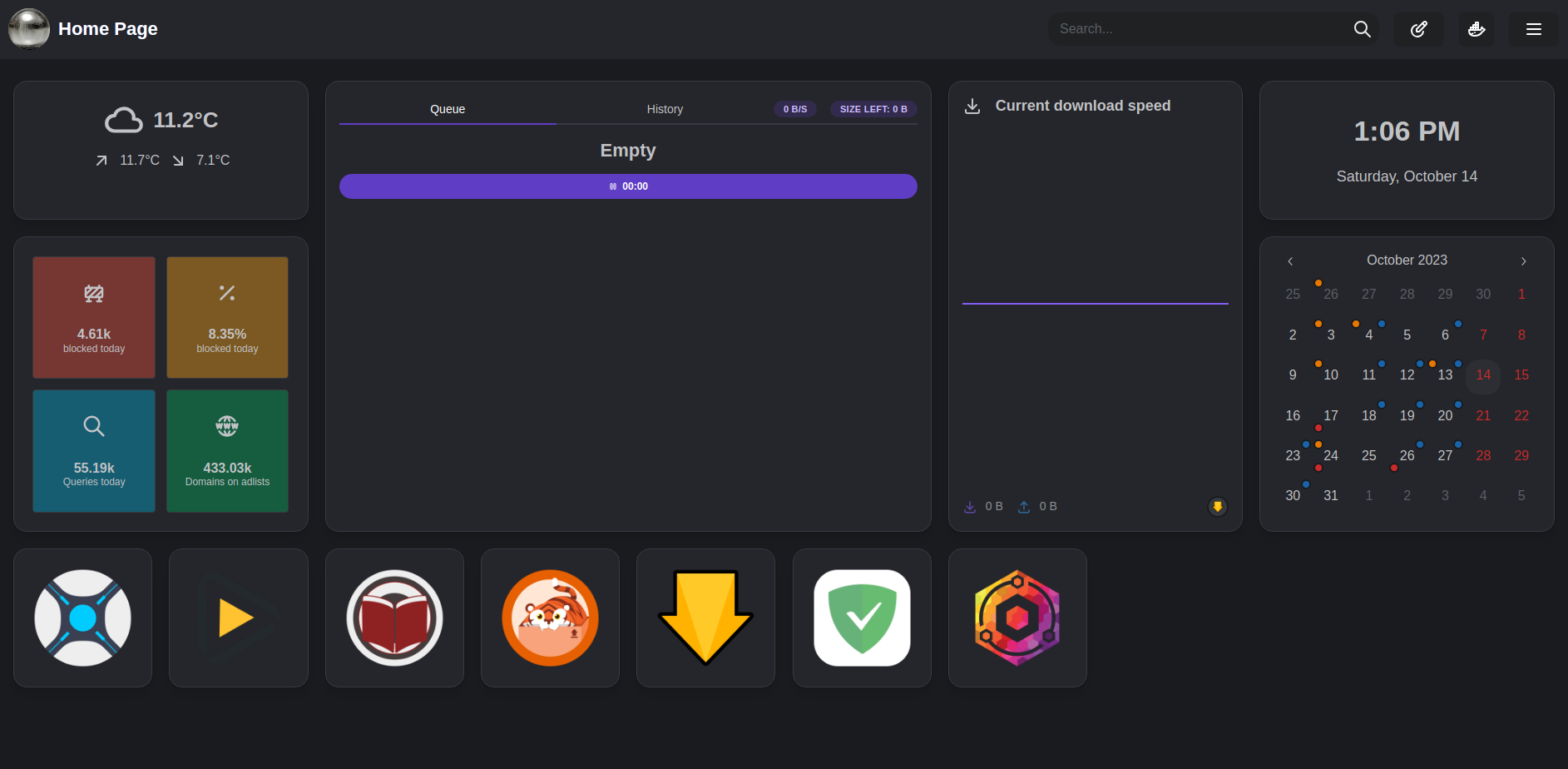
I have it connected up to my AdGuard, and Nginx Proxy Manager too.
On my Android mobile phone, and tablet, I found an app that manages all my servarr and sabnzbd processes - nzb360. It’s brilliant interface. I found the radarr and sonarr web pages a bit glitchy on the small screen of my phone, so switching to using nzb360 is just brilliant.
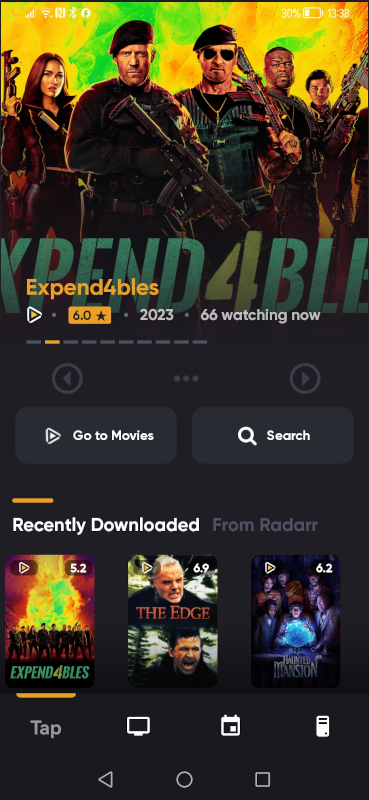
If you don’t want to pay for an app, you could look at LunaSea, it’s available for Linux, Windows, Fruits and Android. I haven’t looked at the mobile version, but the Linux version is very good.